

Audit Logging
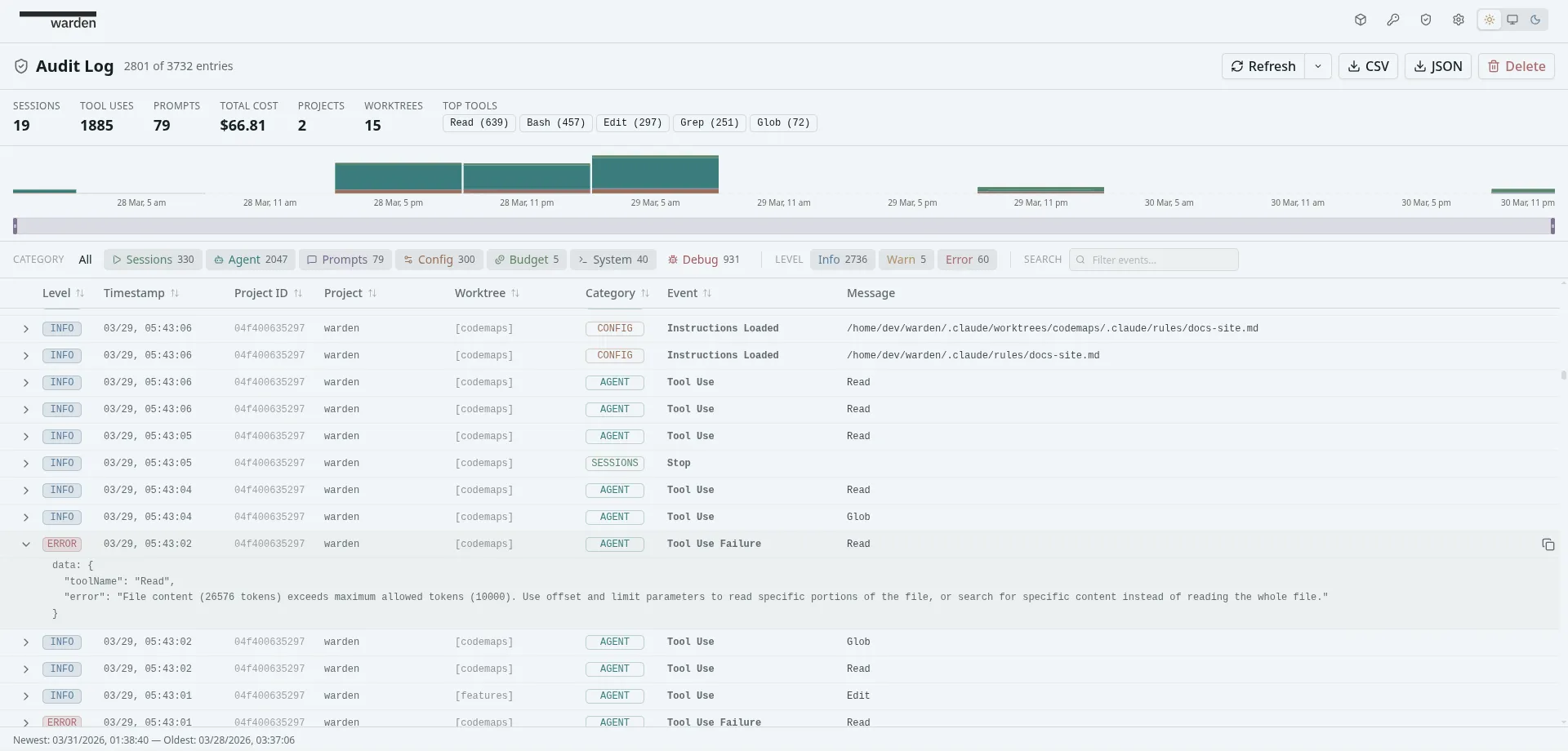
Warden provides unified event logging across all your projects. Use it for real-time monitoring, post-incident review, or compliance reporting.
Audit logging is off by default. Enable it from Settings.
Audit Modes
Section titled “Audit Modes”| Mode | What gets logged | Use case |
|---|---|---|
| Off | Nothing. | Default — no overhead. |
| Standard | Terminal lifecycle, worktree events, budget enforcement, system operations. | Day-to-day monitoring and cost oversight. |
| Detailed | Everything in Standard, plus tool use, permission requests, subagent activity, user prompts, config changes, and debug events. | Full audit trail for compliance or debugging. |
Data Sources
Section titled “Data Sources”Audit events come from two sources:
- JSONL session files — the primary data source. Each agent writes session JSONL files that Warden’s session watcher tails in real time. This provides session lifecycle, tool use, cost, and prompt events for both Claude Code and Codex.
- Claude Code hooks — a supplementary channel for attention/notification state (needs permission, needs input, etc.). Codex does not support hooks, so attention-related audit events are not available for Codex projects.
Event Categories
Section titled “Event Categories”Events are organized into seven categories:
| Category | What it captures | Minimum mode |
|---|---|---|
| Session | Container and terminal lifecycle — starts, stops, connects, disconnects | Standard |
| Agent | Tool use, permission requests, subagent activity | Detailed |
| Prompt | User prompts sent to the agent | Detailed |
| Config | Settings changes, instruction file loading | Detailed |
| Budget | Budget exceeded warnings, enforcement actions, cost resets | Standard |
| System | Process kills, project/container deletion, audit purges | Standard |
| Debug | Backend warnings and errors | Detailed |
Querying the Audit Log
Section titled “Querying the Audit Log”Audit events can be filtered across several dimensions:
- Category — filter by one or more of the categories listed above
- Project — filter to a specific project
- Source — where the event originated (agent, backend, frontend, container)
- Level — info, warn, or error
- Time range — start and end timestamps
- Worktree — filter to a specific worktree
Summary & Export
Section titled “Summary & Export”Warden aggregates audit statistics — total tool uses, prompts, cost across all projects, unique worktrees, and top tools used. This data can be exported as CSV or JSON for compliance review. Exports respect the current filter state.
Data Lifecycle
Section titled “Data Lifecycle”When a project is deleted
Section titled “When a project is deleted”- Audit logging on (Standard or Detailed): cost data and audit events are preserved. The audit trail remains intact for historical review.
- Audit logging off: all associated costs and events are cleaned up with the project.
Purging audit data
Section titled “Purging audit data”You can delete audit events scoped by:
- Project — remove all events for a specific project
- Time range — remove events before/after a timestamp
- Worktree — remove events for a specific worktree
Purge operations are themselves logged as audit events (category: System).